Lantern Is Here: Bring Customers Back After the Repair

Hey folks,
You finish the repair. The customer is happy, the computer runs like new, and they walk out the door. Then you don’t hear from them again.
That doesn’t mean their computer is fine. Drives start to fail, disks fill up, antivirus runs out, and nobody tells the customer. Most people only think about their repair shop once something has already gone wrong, and by then their files may be at risk, or they’ve called someone else. Sometimes that someone is a scammer, who talks them into installing remote access software.
Many of you have asked us for a way to stay in front of your customers after the repair. So we built it.
 Meet Lantern
Lantern is a small app with your shop’s name on it that you install on your customers’ computers. Every few hours it checks for the things that turn into repairs, like a failing drive, low disk space, no antivirus or a recent crash. When it finds one, it tells your customer calmly, at most once a day, with a Request Service button that reaches you. See how it works.
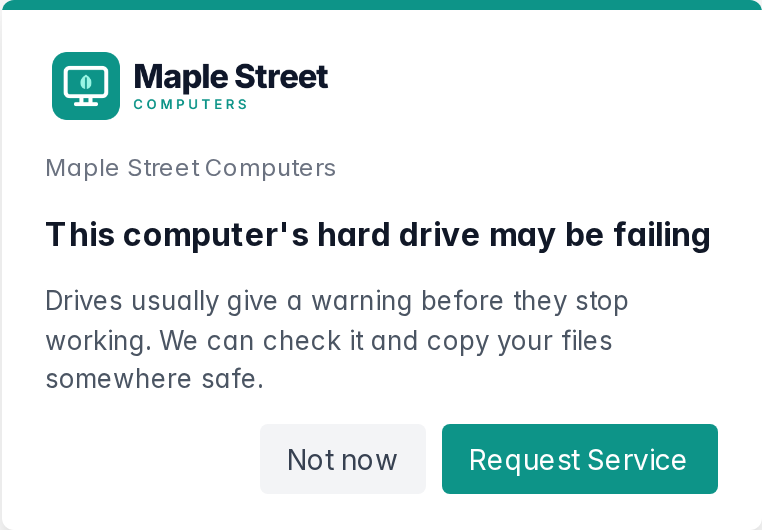
📋 What you see
The request lands in your inbox with the problem attached, and your dashboard shows what needs you today: open requests, devices with problems nobody has called about, and machines that have gone quiet.
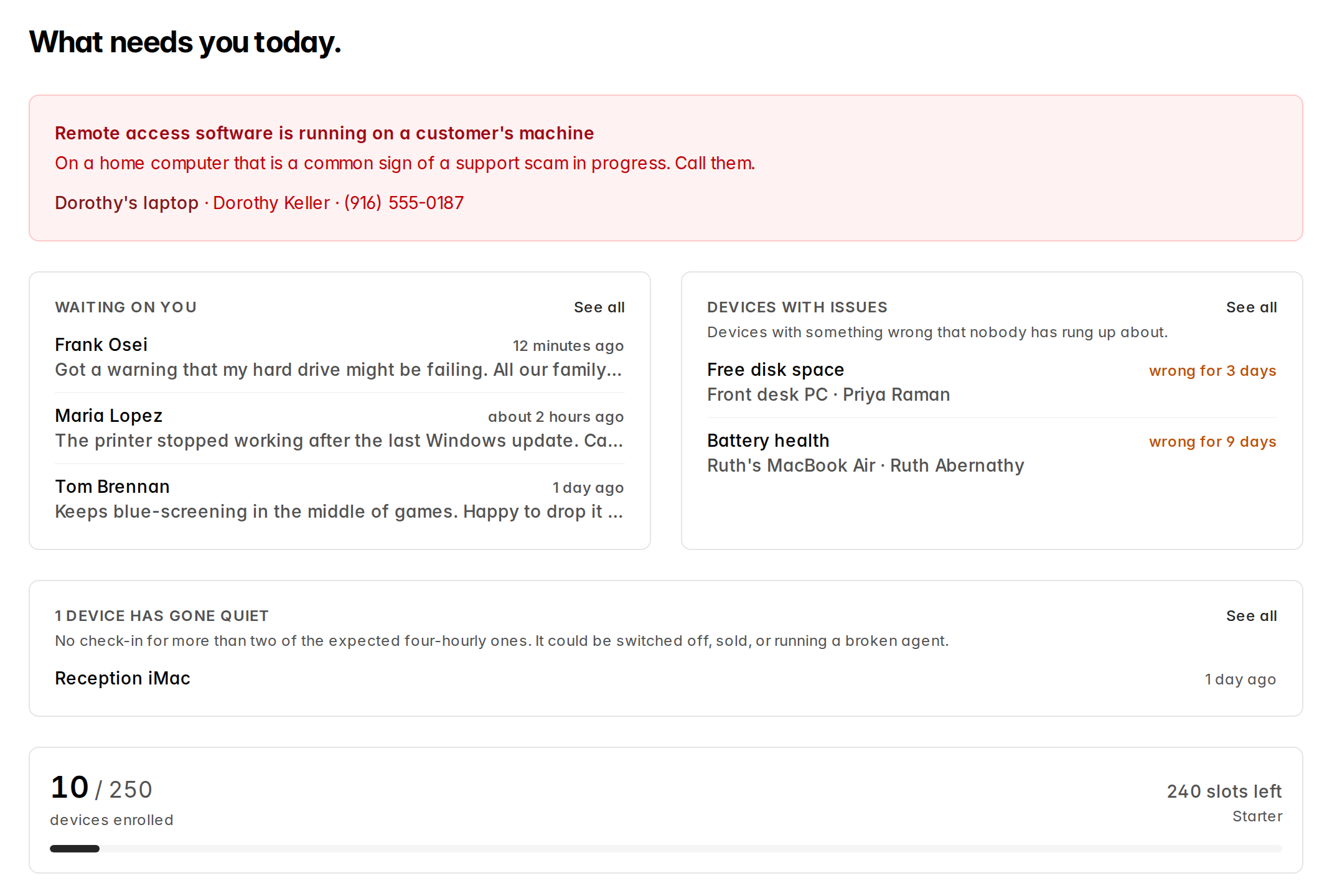
🕵️ It catches scams, too
Lantern recognizes 17 remote access tools. If a stranger gets on a customer’s computer, your customer gets a gentle heads-up and your dashboard shows a warning at the top, so you can call them first.
🔗 It works with TechSuite
Lantern can run a TechSuite procedure on your customers’ computers on a schedule. The reports land in your TechSuite dashboard marked as Lantern runs, and you can filter Reports by who ran them. Connect it from TechSuite Online Dashboard → Integrations → Lantern.
🎫 Requests go where you work
New requests can go to email, Slack, Zapier or any webhook. If you use RepairShopr or Syncro, Lantern can open a ticket for each request and alert, and notice when you close it.
💸 Start free
You can start on the Free plan with up to 10 devices, no card needed. On every plan, your shop’s name, phone, email and hours show on every screen. See pricing for the paid plans.
Lantern runs on Windows and Mac. It isn’t remote access: you can’t see your customer’s screen or control their computer through it, and it never sends file contents, what they type, the sites they visit or their passwords.
Start Lantern free and install it on the next computer that leaves your bench. The Lantern documentation walks through setup.
This started with your requests, so keep them coming. Questions or feedback? Email us at [email protected].
Ian & Garrett