
We’ve shipped a small but important update focused on Reports and consistency across your team. This release expands where AI summaries appear and simplifies how Report settings are managed.
🤖 AI Summaries Now Appear on Report Pages
AI-generated summaries can now be shown directly on Reports when viewed in the TechSuite Online Dashboard.
This makes it easier to quickly understand what happened during a job without scanning the full Report or relying solely on email notifications.
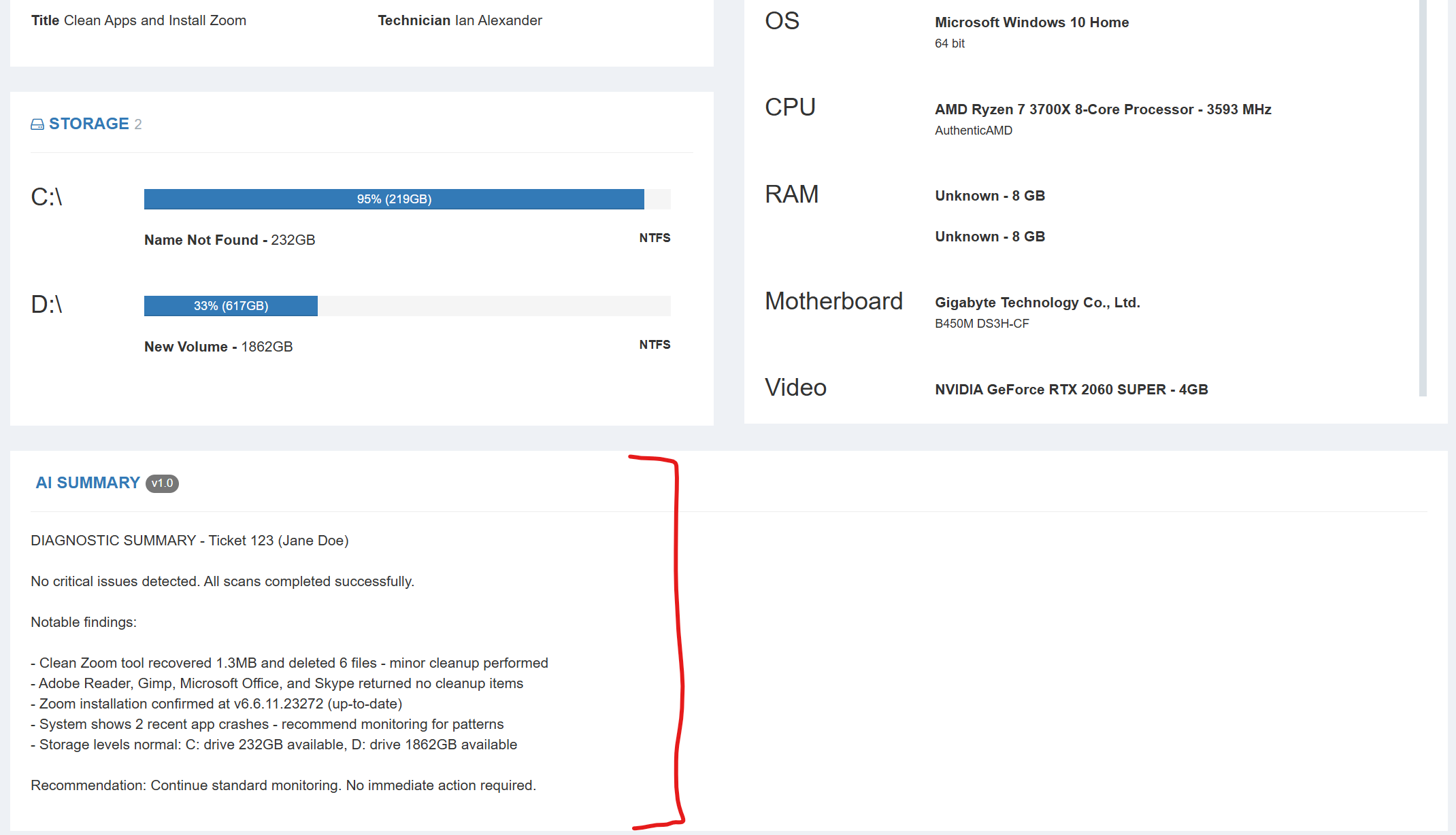
Important notes:
AI summaries appear only when viewing Reports in the Online Dashboard
They do not appear in Reports generated locally by the TechSuite Windows App
To enable this feature, go to:
TechSuite Online Dashboard → Settings → Application Settings → “Show AI Summary on Report Pages.”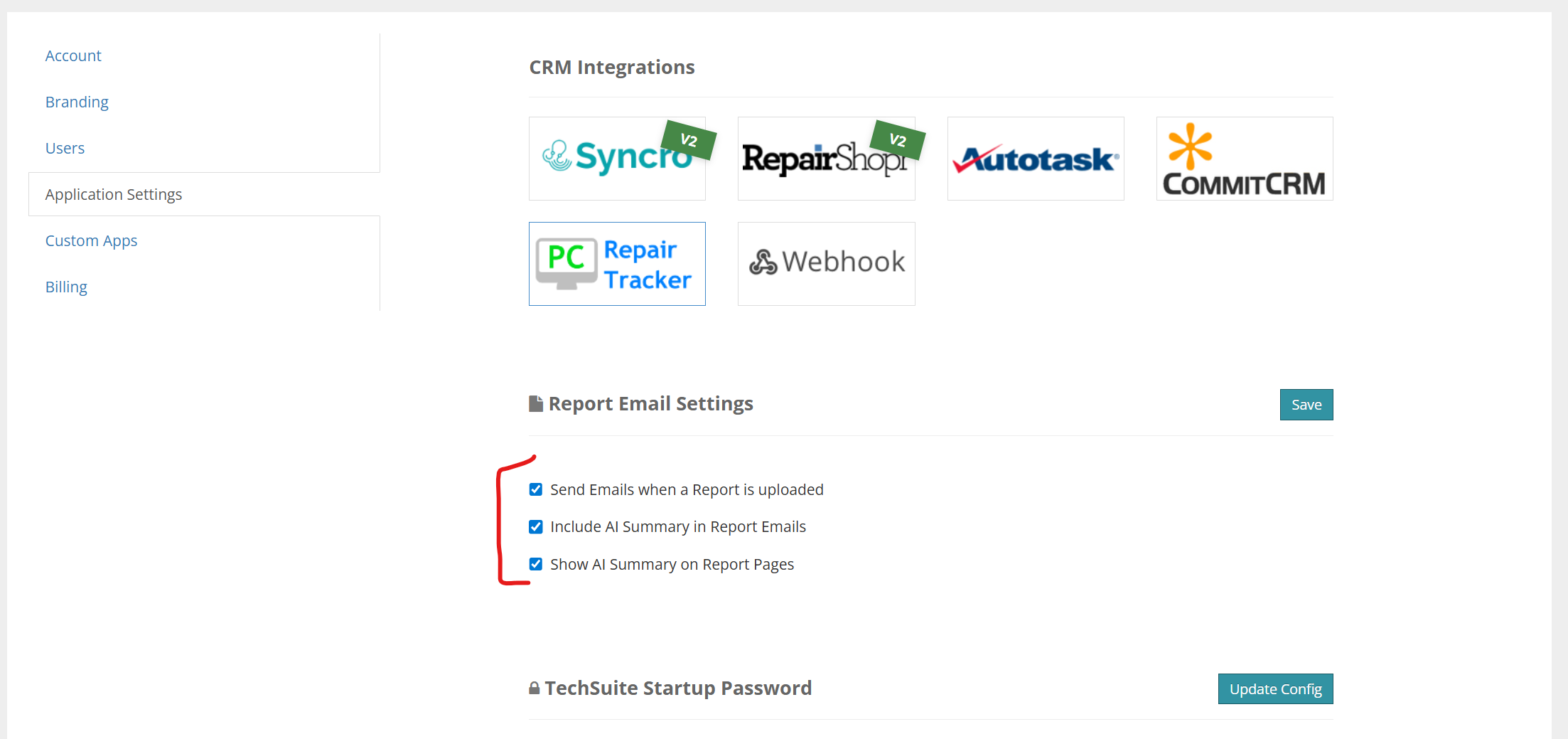
As with the email summaries, this feature is optional and easy to turn on or off.
🏪 Report Settings Are Now Shop-Wide
We’ve updated Report Settings to apply at the shop level, rather than per technician.
This ensures consistent behavior across your entire team and removes the need to configure the same options for each individual technician. Changes made in Report Settings now apply universally to all users in the shop.
If you have feedback on the AI summaries or suggestions for improving Reports, email us anytime at [email protected]. We’ll continue iterating.
Ian & Garrett