
We shipped several usability improvements this week, including a new optional AI-powered feature for Report emails, better Settings behavior, and some long overdue cleanup of legacy TechWARU text.
These updates are part of our focus on smoothing out the everyday workflows TechSuite Technicians rely on.
✨ AI-Generated Summaries in Report Emails (Opt-In)
Report emails can now include an AI-generated summary of the completed TechSuite Report.
This helps Technicians get a quick, readable overview of what happened without needing to click through or download anything. It’s especially useful for high-volume environments or when you’re triaging multiple Reports in a day.

This feature is opt-in. To enable it:
Go to Settings → Application Settings and check “Include AI Summary in Report Emails.”
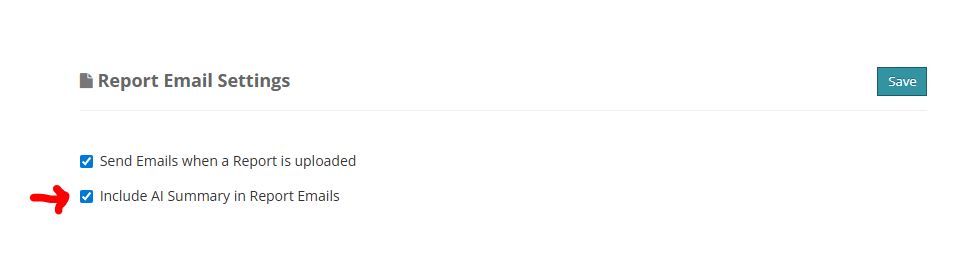
We’d love to hear feedback on the summaries so we can continue refining them.
✔️ Settings & Integration Fixes
A few quality-of-life improvements shipped as well:
Success and error messages now appear correctly when saving settings or configuring integrations.
When you update a setting, the app now returns you to the specific pane you were working in instead of kicking you back to the top-level Settings page.
These fixes make navigating and updating the Dashboard much smoother.
🧹 Removed Legacy “TechWARU” Text
Some of you noticed old “TechWARU” references still hiding inside certain Report emails. Those have now been fully removed.
If you have ideas, feedback, or want to help us iterate on the new AI summaries, email us anytime at support@repairtechsolutions.com.
Ian & Garrett